
The WriteHuman API Is Here
This has been one of the most requested features since we launched. Content teams, SEO agencies, and developers have been asking us for a way to integrate WriteHuman directly into their own apps and workflows instead of having to use the web tool manually. We've been working on it for a while, and today it's ready.
You can check it out at wr02.balochseotools.com/api.
How It Works
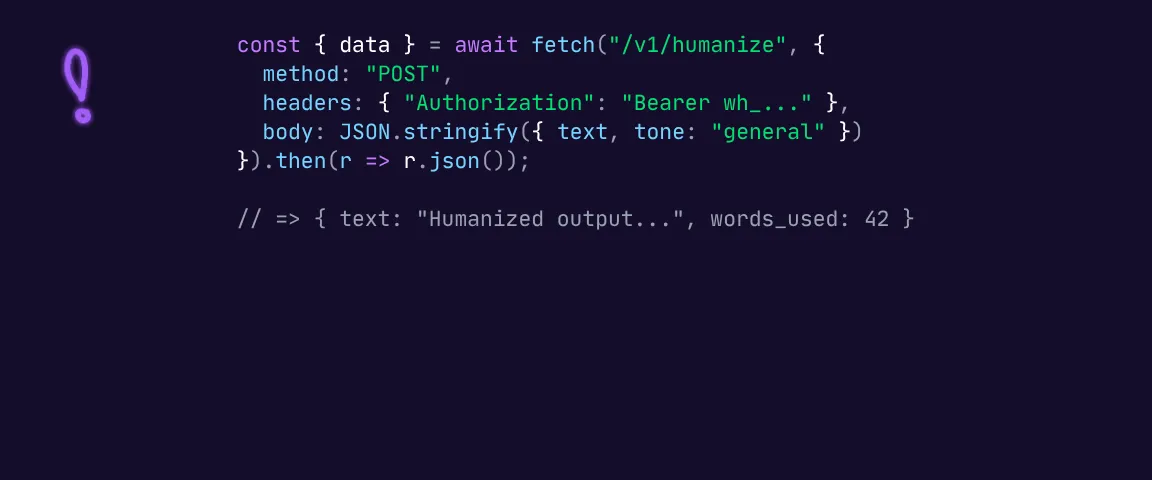
We wanted to keep this as straightforward as possible. There's a single REST endpoint: POST /v1/humanize. You send your AI-generated text in, and you get humanized text back along with a quality score and your remaining word balance.
curl -X POST https://api.wr02.balochseotools.com/v1/humanize \
  -H "Authorization: Bearer wh_live_your_api_key_here" \
  -H "Content-Type: application/json" \
  -d '{"text": "Your AI-generated text here"}'
Authentication is a standard Bearer token. You create API keys from your dashboard, and they follow the wh_live_... format. The keys are hashed on our side so we never store the raw value after creation. You can have up to 5 active keys, name them however you want, toggle them on and off, and see when each one was last used.
We have full documentation with code examples in cURL, Python, and JavaScript that covers everything you need to get your first request working. It shouldn't take more than a few minutes from signup to your first API call.
Pricing That Actually Makes Sense
If you've looked at API pricing from other humanizer tools, you've probably noticed that most of them are expensive. Some competitors charge $100/month or more just to get started, and the per-word costs add up fast on top of that.
We didn't want to do that. We went with word-based billing because it's the fairest way to charge for this. A short paragraph shouldn't cost the same as a full article. And we kept the monthly fees low because we'd rather have more people actually using the API than price out everyone except enterprise budgets.
There are two plans:
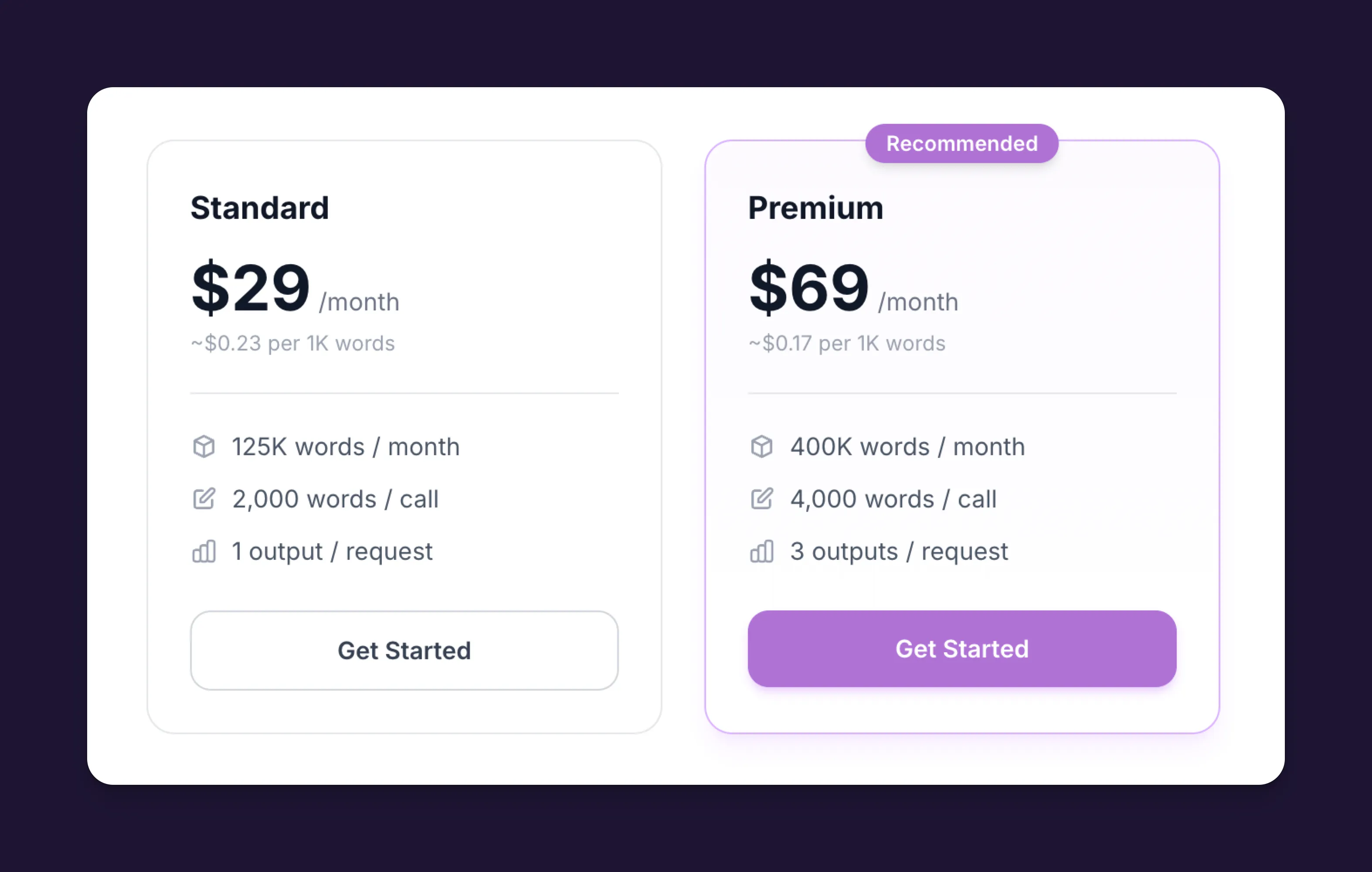
Standard includes 125,000 words per month. You can send up to 2,000 words per request, run 2 concurrent requests, and make 10 requests per minute. For most individuals and small teams doing batch content work, this is plenty.
Premium gives you 400,000 words per month and opens up some features that matter at higher volumes. The big one is that each request generates 3 variations of your text, scores them all, and gives you the best one automatically (plus the other two as alternatives). You also get built-in AI detection scoring on every response, 4,000 words per request, 5 concurrent requests, and 60 requests per minute. If you're running a content operation or building a product that uses humanization, Premium is designed for that.
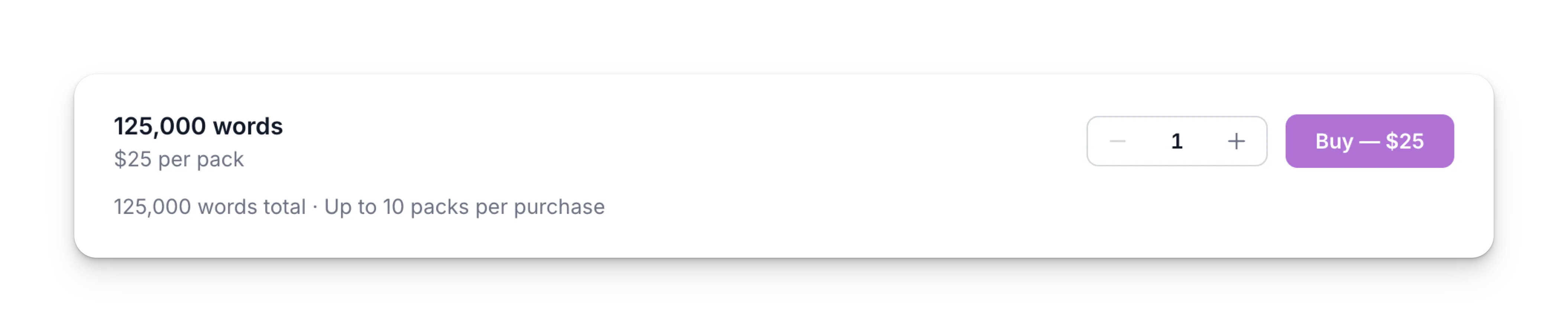
Per-word pricing starts at around $0.25 per 1,000 words, which is significantly cheaper than most alternatives on the market right now. Both plans support over 40 languages, and if you go through your monthly allowance, you can grab top-up packs at 125,000 words for $25 each. Those never expire and roll over until you use them, so you're not losing money if you have a slow month after buying extra.
What People Are Planning to Build
We've been talking to users who have been waiting for this, and the range of use cases is pretty wide:
Content marketing workflows. If you're already using AI to draft blog posts, emails, and social media copy, you can now run all of that through WriteHuman automatically before it gets published. No more switching to a browser tab to humanize things one at a time.
SEO agencies managing multiple clients. When you're producing hundreds of pieces of content per month, copy-pasting each one into a web tool doesn't scale. The API lets you plug humanization right into your content pipeline.
SaaS products and writing tools. A few teams have told us they want to offer humanization as a built-in feature for their own users. With the API, they can do that without having to build and maintain their own model.
Enterprise and internal teams. For companies using AI to produce internal documentation, training materials, or communications, the API lets them process all of it programmatically at whatever volume they need.
The Dashboard
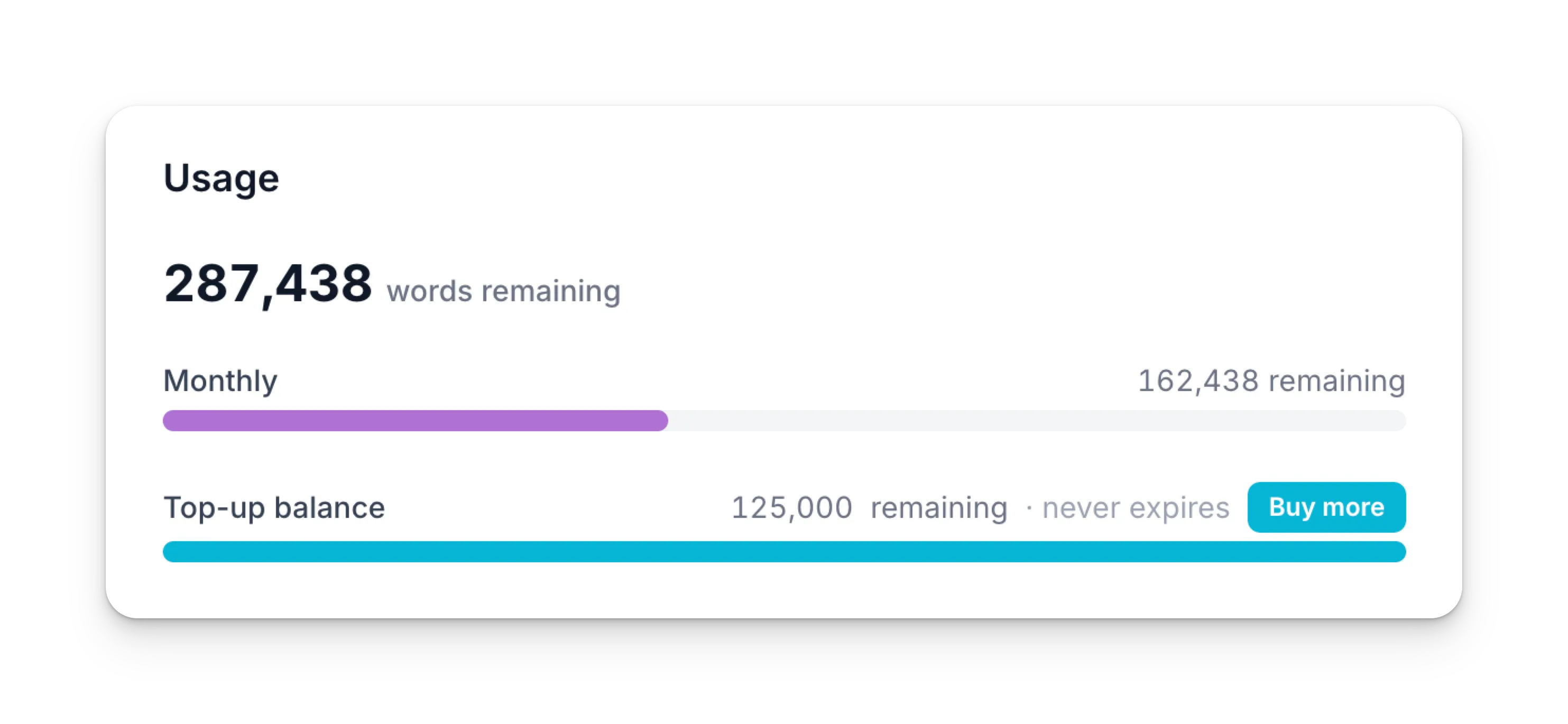
Along with the API itself, we built a dashboard at wr02.balochseotools.com/api/dashboard where you can manage everything in one place. You can see your word usage in real time, view a 28-day activity heatmap of your API calls, manage your keys, upgrade or downgrade your plan, and purchase top-up packs. We didn't want you to have to dig through multiple pages or a separate billing portal to handle any of this.
Getting Started
Head over to wr02.balochseotools.com/api, pick the plan that works for you, and you'll have your API key within a couple of minutes. The docs will walk you through making your first request.
If you have any questions or run into anything, reach out to our support team. And if you end up building something cool with the API, we'd love to hear about it.